MIT · core >=0.1.0-beta.1 · sink · linux_amd64, linux_arm64, darwin_arm64, windows_amd64 · 11237.2 KB · Nov 19, 2026
Your print images stay yours
OctoEverywhere follows a strict image privacy policy for the Gadget API. Images submitted by this extension are used only for the requested AI failure analysis and deleted immediately after processing, when the request finishes. They are never stored afterward, used for training or fine-tuning (including anonymized copies), or sold. These protections apply to free and paid API use. Read OctoEverywhere's privacy policy.
Bring Gadget, OctoEverywhere’s AI print failure detection, to your Prusa Connect Local setup.
Gadget watches your printer’s camera during a print and looks for signs that something is going wrong. It adds another way to catch failures earlier and potentially save time and filament when a print needs attention.
This first beta includes:
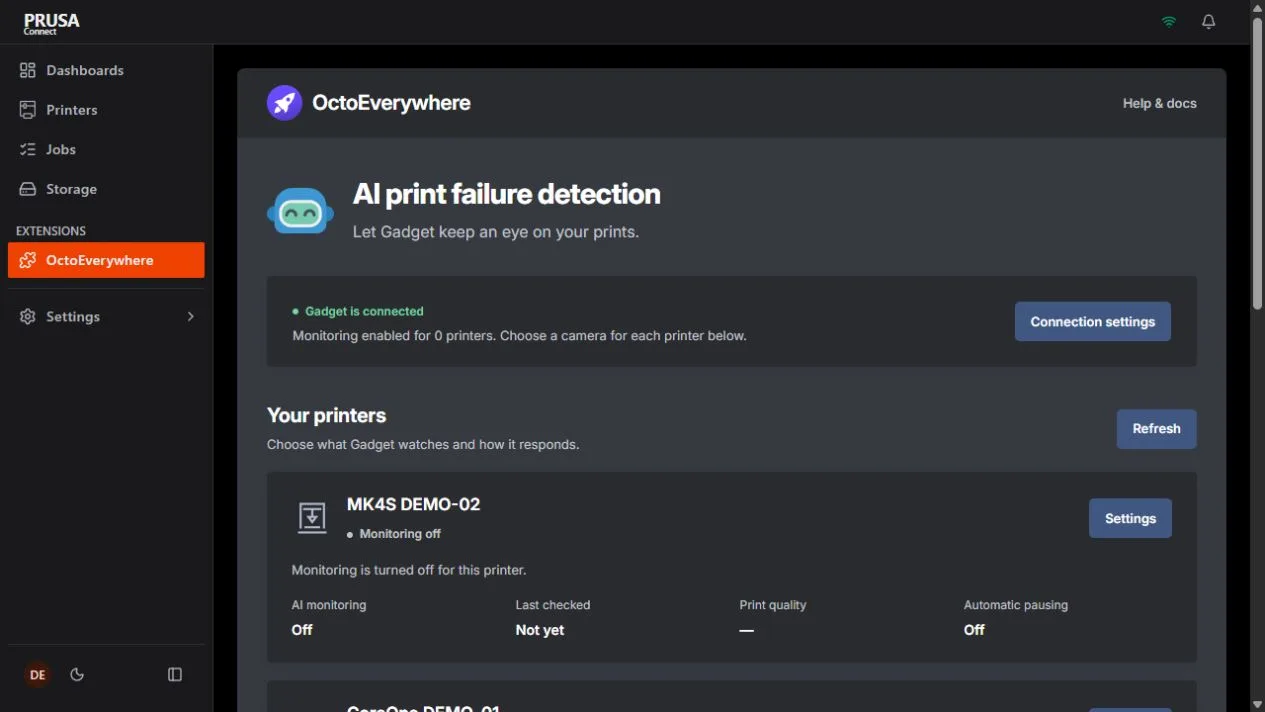
AI monitoring for each printer: Choose a camera and enable Gadget on the printers you want it to watch.
Optional automatic pausing: Let Gadget request a pause when it detects a likely failure. Disabled by default and requires permission for each printer.
Adjustable sensitivity: Tune warning and pause confidence to suit your setup.
Automatic monitoring startup: A configurable warm-up buffer and printer-state checks help avoid analyzing preparation too early.
Monitoring status and activity history: See when Gadget last checked your print, review its reported print-quality score, and follow monitoring events. Setup requires a Gadget API account and key, a compatible camera with fresh snapshots, and a Connect read credential for camera access.
This is our first public beta. AI detection can miss failures or flag healthy prints, and results depend on camera placement, lighting, and visibility. Monitoring start is estimated from available printer telemetry, so longer preparation routines may need a larger warm-up buffer. Start with automatic pausing off while you check how Gadget performs on your setup.
We’d love your feedback - especially on installation, camera compatibility, monitoring startup, and pause behavior. Please report issues on GitHub with your printer model, firmware, Connect version, and steps to reproduce.
Sign in to comment.
No comments yet.