Plugin Marketplace
Sign in
Back to extensions
printer-canvas-preview

Printer Canvas

by Mikolas ZuzaTrusted

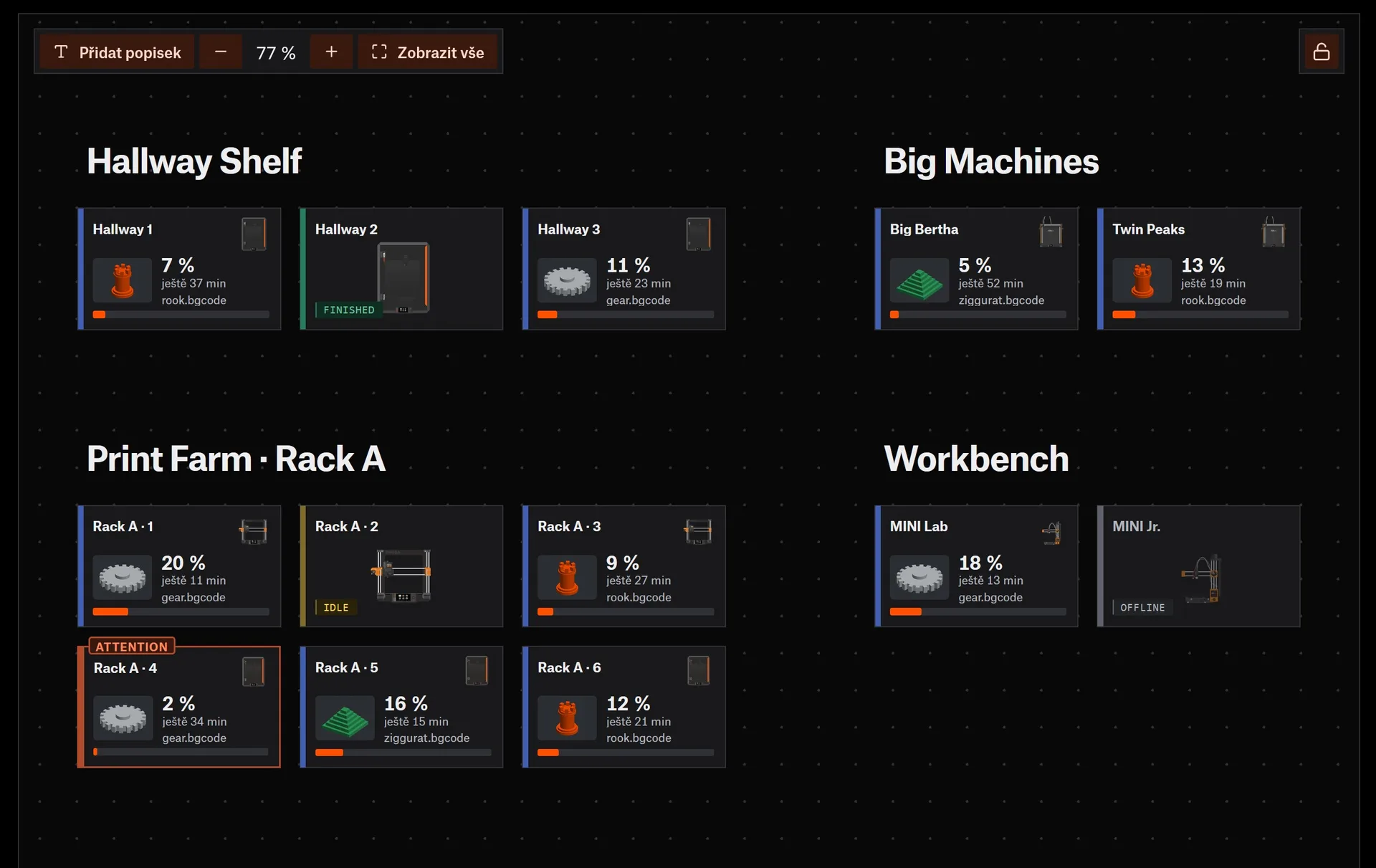
Every printer on one infinite canvas. Drag them where they stand in your room and watch their progress at a glance.

Rating
No votes
Downloads
6
Version
0.1.4
Updated
Nov 25, 2026
License
MIT
github.com/mikolaszuza/printer-canvas

This extension is native code that runs on your Connect Local server, with the permissions you grant it at install. It is not sandboxed. Prusa reviewed this release before publishing it; install extensions only from authors you trust.

Connects to

Nothing outside Prusa Connect. It talks only to your server, and the marketplace checked its source for any other connection.

What's inside 0.1.4
  • module.yamlThe manifest: what the extension is and what it asks for
  • printer-canvas_linux_amd64The program for linux amd64
  • printer-canvas_linux_arm64The program for linux arm64
  • printer-canvas_darwin_arm64The program for darwin arm64
  • printer-canvas_windows_amd64.exeThe program for windows amd64
  • ui/The browser bundle the Connect web app loads
  • checksums.txtThe SHA-256 of every file above
  • checksums.txt.sigThe author's signature over checksums.txt

A release may also carry LICENSE, README.md and CHANGELOG.md. Nothing else is accepted.

Versions
0.1.4latest .tar.gz

MIT · core >=0.1.0-beta.1 · sink · linux_amd64, linux_arm64, darwin_arm64, windows_amd64 · 7334.5 KB · Nov 25, 2026

The first release on the Plugin Marketplace: every printer on one infinite canvas, laid out the way they stand in your room.

  • Arrange the farm. Drag a printer card where the printer really stands. It snaps to the grid and is saved for everyone at once, with no edit mode. New printers get a spot under the others.

  • Name the shelves. Add text labels such as "Hallway Shelf", drag them over a group, rename them with the pencil.

  • Read it at a glance. A printing card shows the print's picture, the percentage, the time left and the file. A finished print keeps its card at 100 % with how long it took.

  • See what needs you. A printer that is paused or asks for attention gets a border in its state colour and a tag on its corner.

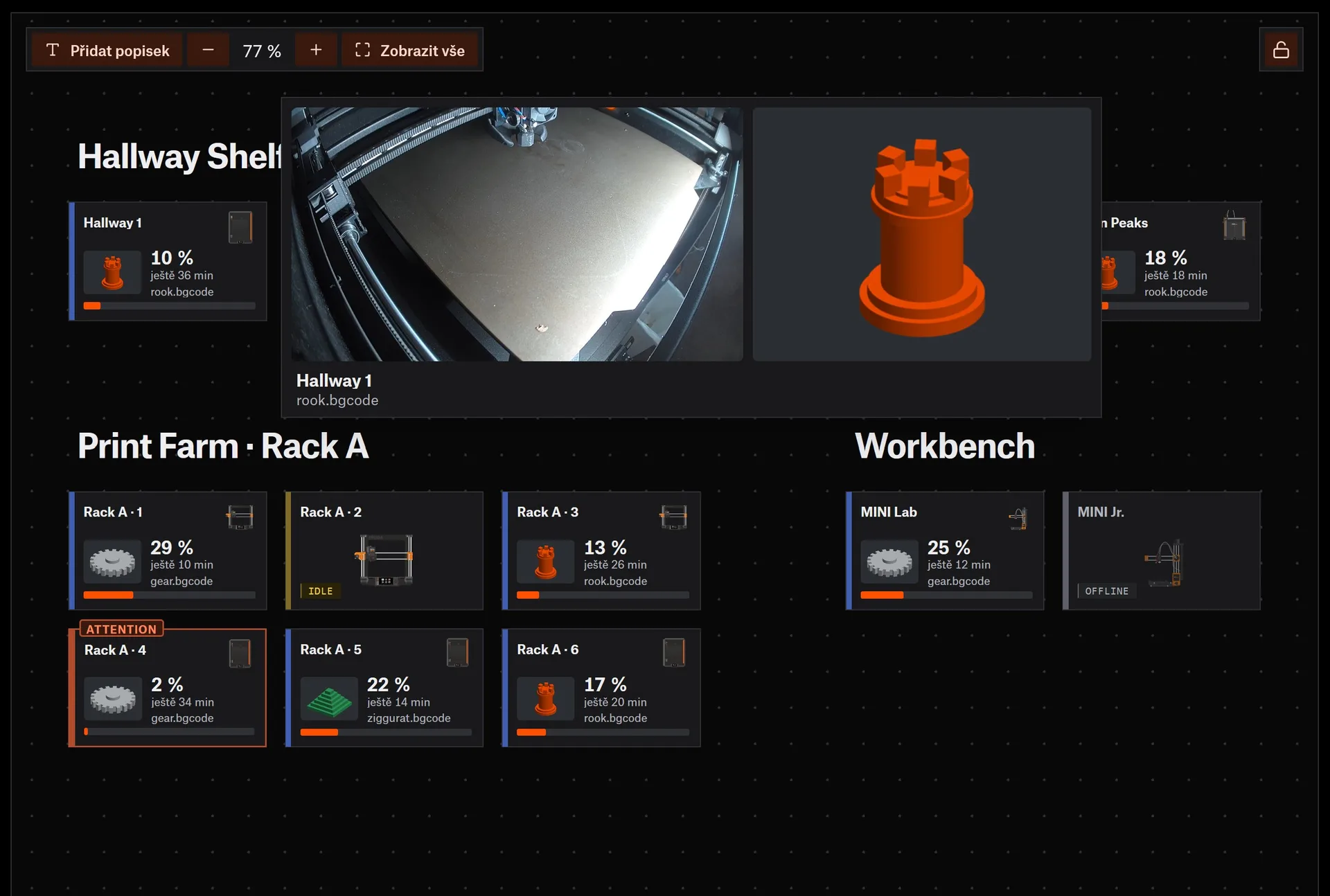
  • Look closer. Rest the pointer on a card to see the print's picture large and, for a printer with a camera, the camera live.

  • Lock the layout against stray drags: a locked canvas only pans, and a click still opens the printer.

  • English and Czech.

Fixed in 0.1.4: text typed into a new or renamed label was lost on Enter, and the hover preview could open under a drag.

Comments (0)

Sign in to comment.

No comments yet.