Plugin Marketplace
Sign in

Tasmota Plugs

TrustedccmpbllNo votesgithub.com/ccmpbll/tasmota-plugs
  • Tasmota Plugs, image 1
  • Tasmota Plugs, image 2
  • Tasmota Plugs, image 3
  • Tasmota Plugs, image 4
  • Tasmota Plugs, image 5
  • Tasmota Plugs, image 6

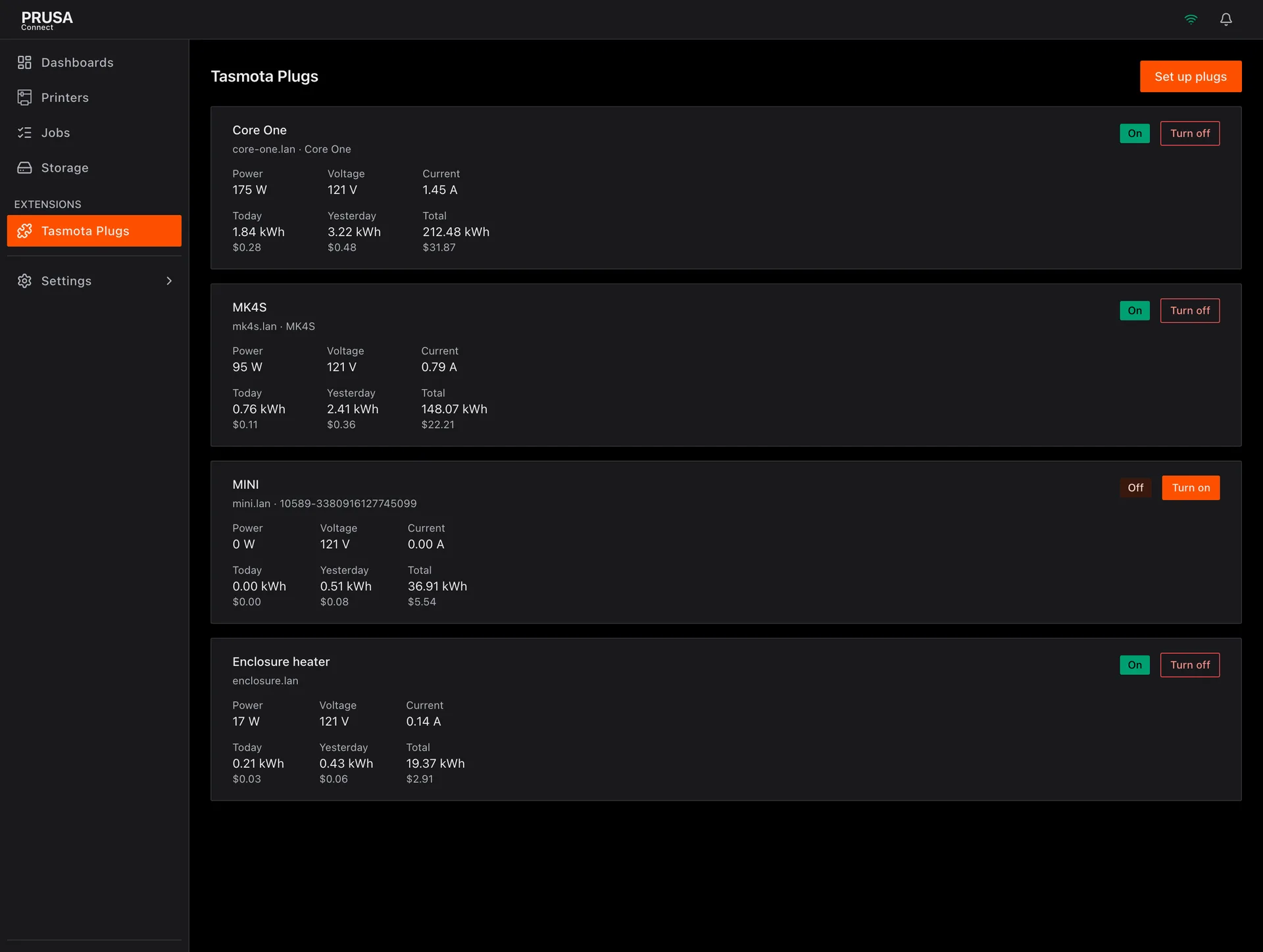
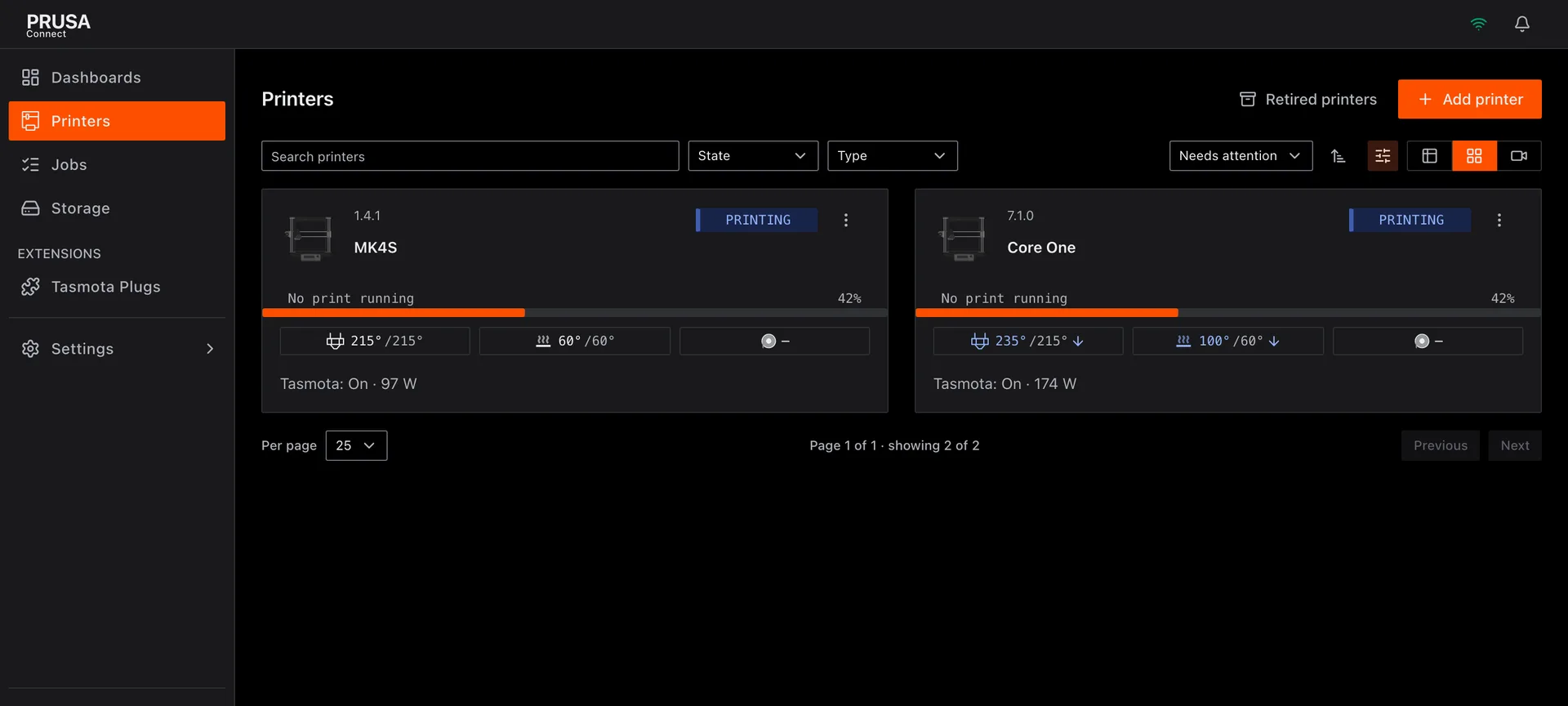
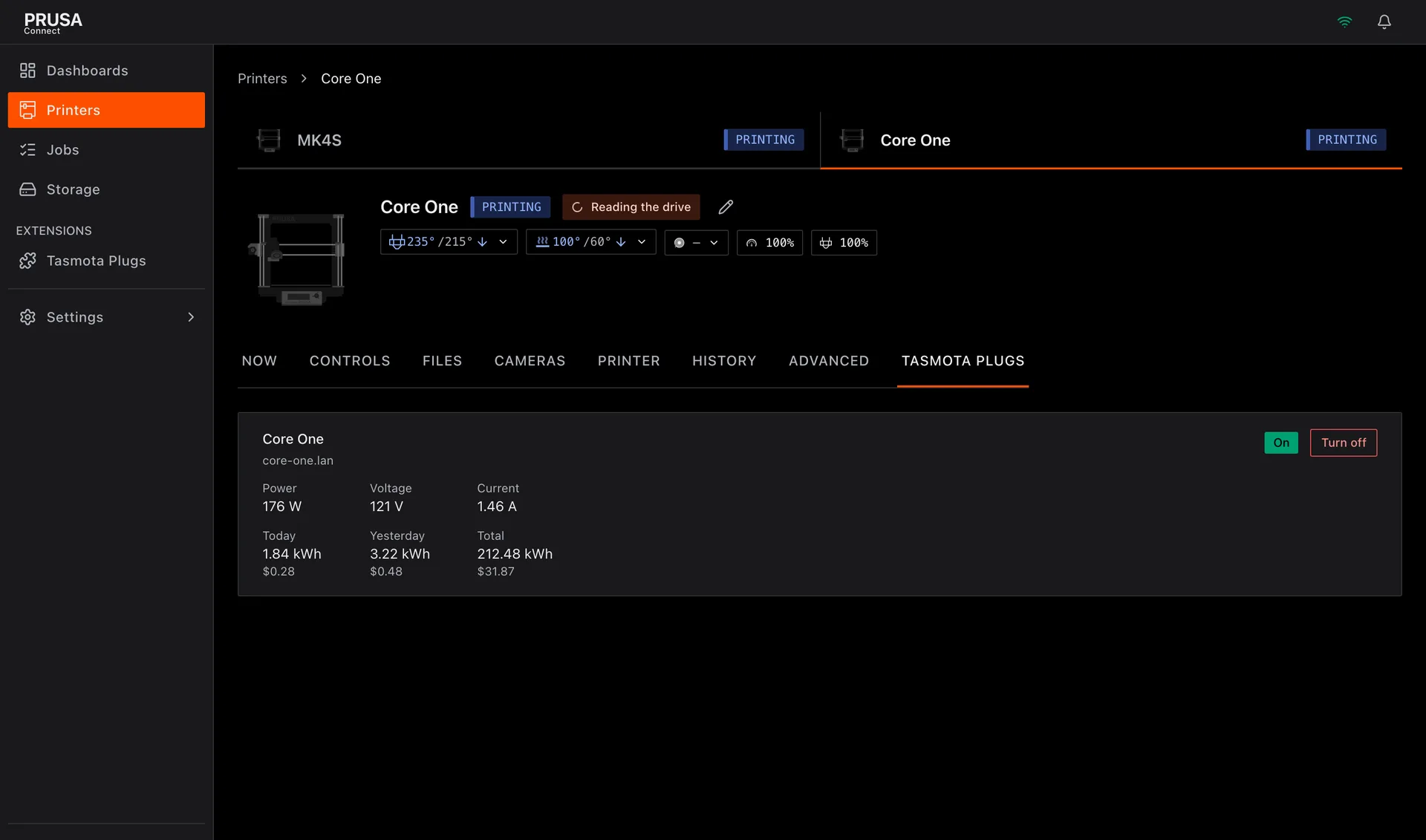
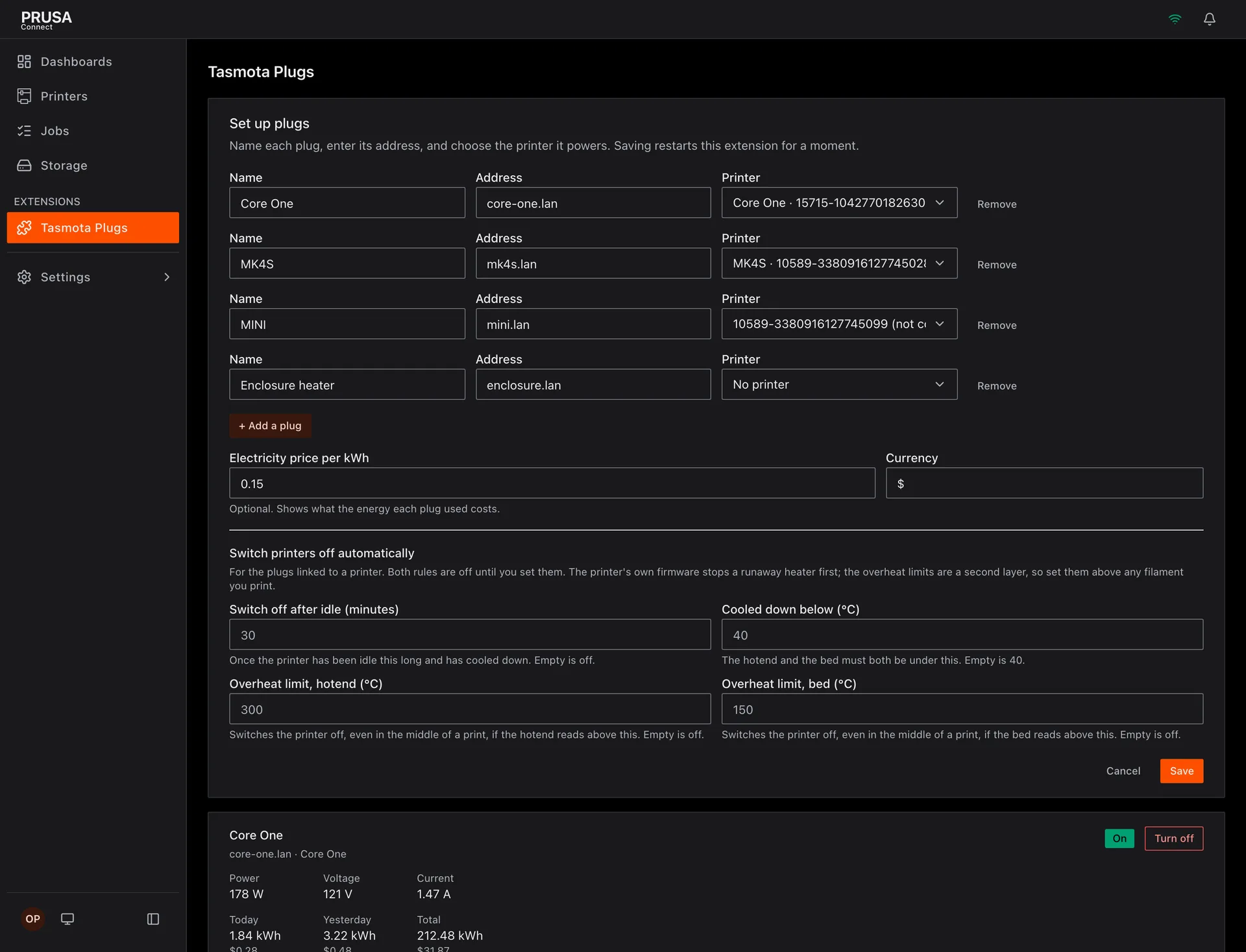
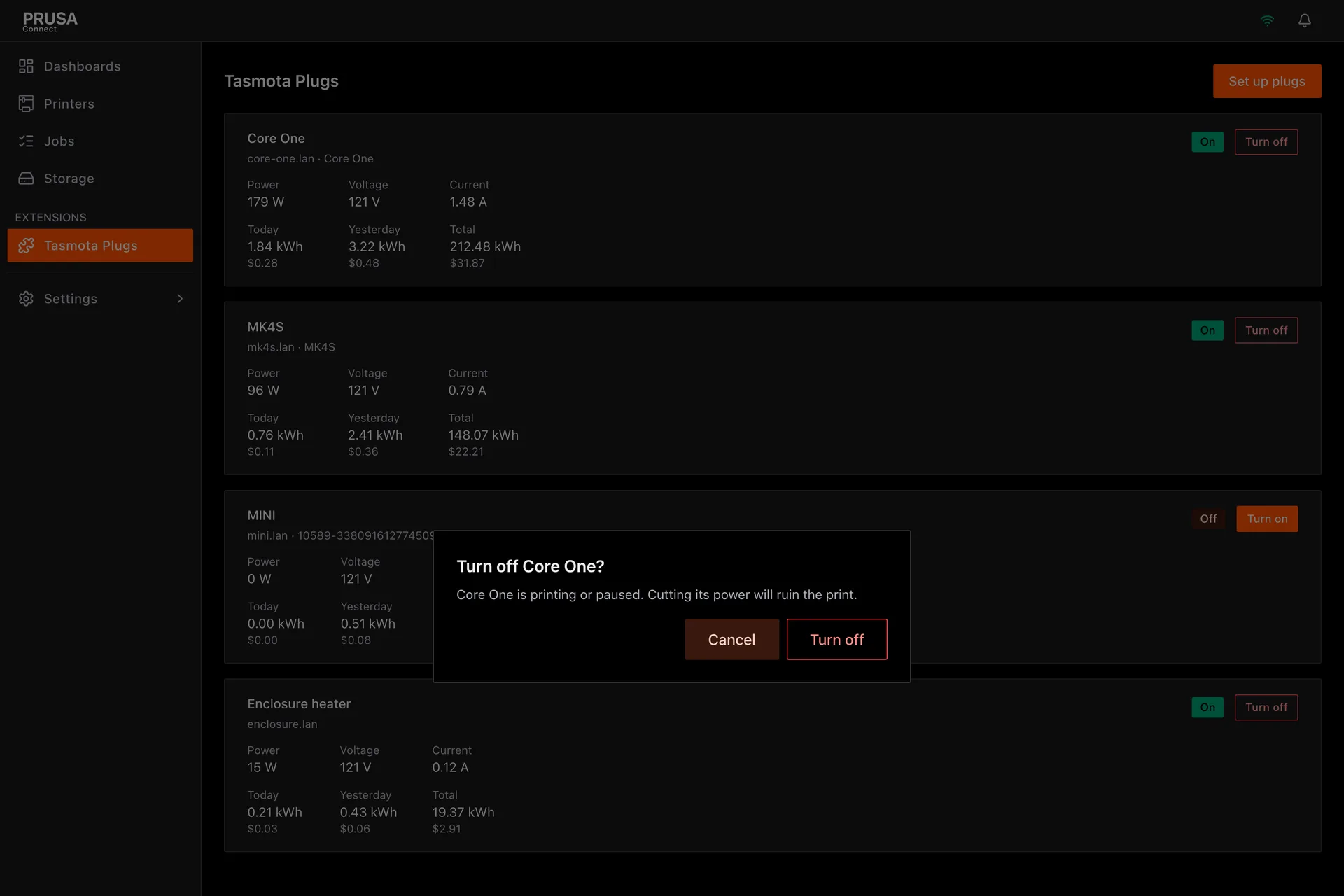
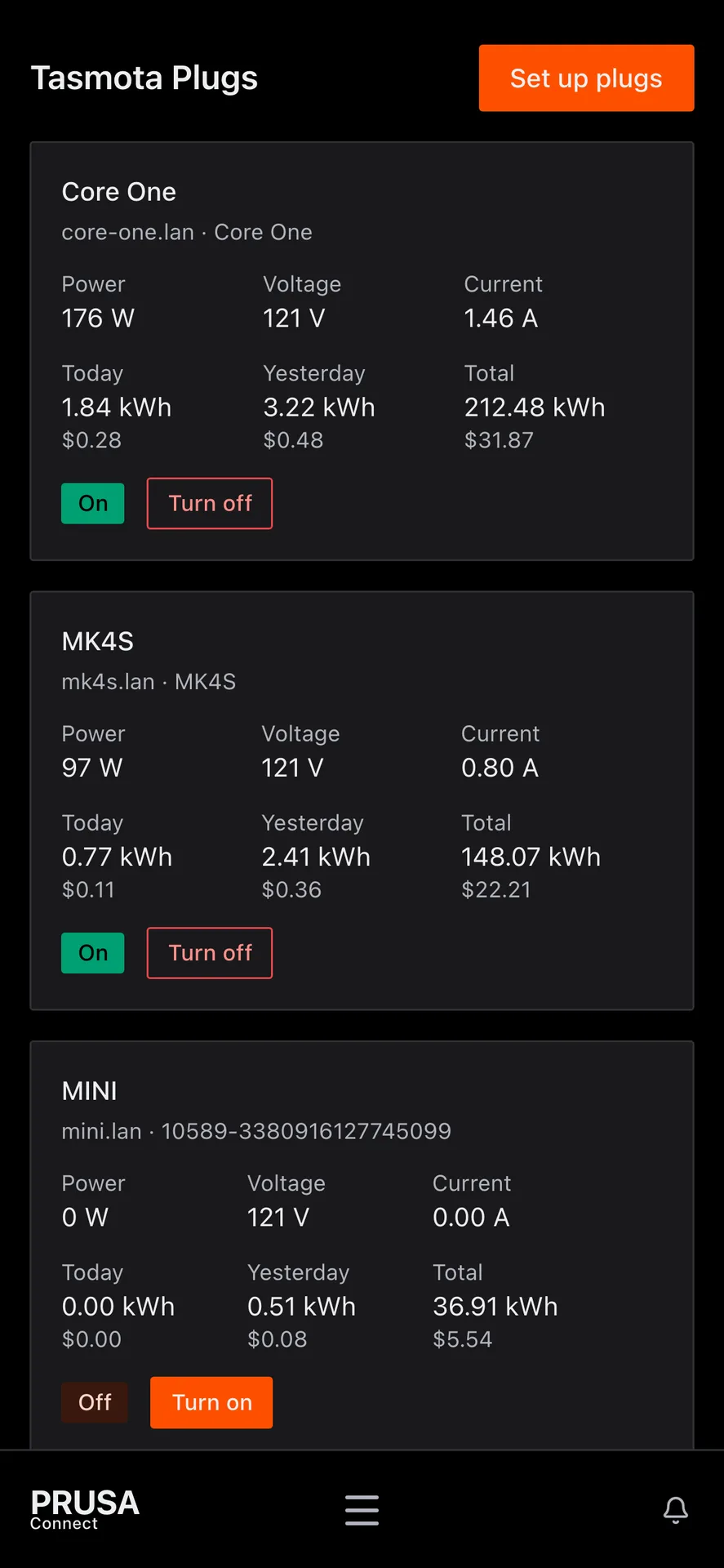
Switches Tasmota smart plugs, one or more per printer, from a Tasmota Plugs page, and follows print events.

This extension is native code that runs on your Connect Local server, with the permissions you grant it at install. It is not sandboxed. Prusa reviewed this release before publishing it; install extensions only from authors you trust.

Connects to
  • the server you set in plug1_host:80from the server

    Plug 1: reads the plug's state and energy meter and switches the relay, over Tasmota's HTTP command interface.

    Sends: Status 0 (a read-only report of the relay, the energy meter, the Wi-Fi signal and the uptime), Power On and Power Off. Nothing else.
  • the server you set in plug2_host:80from the server

    Plug 2: reads the plug's state and energy meter and switches the relay, over Tasmota's HTTP command interface.

    Sends: Status 0 (a read-only report of the relay, the energy meter, the Wi-Fi signal and the uptime), Power On and Power Off. Nothing else.
  • the server you set in plug3_host:80from the server

    Plug 3: reads the plug's state and energy meter and switches the relay, over Tasmota's HTTP command interface.

    Sends: Status 0 (a read-only report of the relay, the energy meter, the Wi-Fi signal and the uptime), Power On and Power Off. Nothing else.
  • the server you set in plug4_host:80from the server

    Plug 4: reads the plug's state and energy meter and switches the relay, over Tasmota's HTTP command interface.

    Sends: Status 0 (a read-only report of the relay, the energy meter, the Wi-Fi signal and the uptime), Power On and Power Off. Nothing else.
  • the server you set in plug5_host:80from the server

    Plug 5: reads the plug's state and energy meter and switches the relay, over Tasmota's HTTP command interface.

    Sends: Status 0 (a read-only report of the relay, the energy meter, the Wi-Fi signal and the uptime), Power On and Power Off. Nothing else.
  • the server you set in plug6_host:80from the server

    Plug 6: reads the plug's state and energy meter and switches the relay, over Tasmota's HTTP command interface.

    Sends: Status 0 (a read-only report of the relay, the energy meter, the Wi-Fi signal and the uptime), Power On and Power Off. Nothing else.

  • the server you set in plug7_host:80from the server

    Plug 7: reads the plug's state and energy meter and switches the relay, over Tasmota's HTTP command interface.

    Sends: Status 0 (a read-only report of the relay, the energy meter, the Wi-Fi signal and the uptime), Power On and Power Off. Nothing else.

  • the server you set in plug8_host:80from the server

    Plug 8: reads the plug's state and energy meter and switches the relay, over Tasmota's HTTP command interface.

    Sends: Status 0 (a read-only report of the relay, the energy meter, the Wi-Fi signal and the uptime), Power On and Power Off. Nothing else.

What's inside 0.1.2
  • module.yamlThe manifest: what the extension is and what it asks for
  • smart-plugs_linux_amd64The program for linux amd64
  • smart-plugs_linux_arm64The program for linux arm64
  • smart-plugs_darwin_arm64The program for darwin arm64
  • smart-plugs_windows_amd64.exeThe program for windows amd64
  • ui/The browser bundle the Connect web app loads
  • checksums.txtThe SHA-256 of every file above
  • checksums.txt.sigThe author's signature over checksums.txt

A release may also carry LICENSE, README.md and CHANGELOG.md. Nothing else is accepted.

Versions
0.1.2beta .tar.gz

MIT · core * · sink · linux_amd64, linux_arm64, darwin_arm64, windows_amd64 · 10889.9 KB · Nov 21, 2026

0.1.2 - 2026-11-20

Replaces 0.1.1, which the marketplace refused before publishing because module.yaml held an invalid YAML escape.

Fixed

  • Switching a plug now asks the host whether the caller may operate this extension (operate_resource), and refuses with 403 ACCESS_DENIED when not. A viewer can no longer switch a plug, with or without force, and a plug linked to a printer also needs permission to operate that printer (operate). A host that cannot answer refuses with 503 ACCESS_UNKNOWN. The question is declared under checks: in module.yaml. Upgrading: approve the new operate_resource and operate checks when you update (module add ... -approve, or an administrator approving it when the install lists it as a request). Without it every switch is refused with 503 ACCESS_UNKNOWN, and the log says why.

  • GET /plugs carries can_operate, and the Tasmota Plugs page, the printer tab and the dashboard card show no Turn on or Turn off buttons to a person who may not operate. The 403 and 503 answers are in openapi.json.

Comments (0)

Sign in to comment.

No comments yet.